4.9 (163)
- Rating
- (152)
- (9)
- (2)
- (0)
- (0)
Fast conversion
Ideal for OST files up to 10GB
Massive files
100GB+? Desktop alternative →
Preview for free
Check before you pay
Pay per GB
$10/GB — only for successful conversion
Convert Outlook OST files to PST format online and restore access to emails, contacts, calendars, tasks, and attachments without installing Microsoft Outlook or connecting to Exchange Server.
Convert OST to PST
Our online OST to PST conversion service helps recover mailbox data from offline Outlook data files and convert it into a standard PST file on a secure remote server. This is useful when the original Exchange Server profile is damaged, Outlook cannot open the mailbox, or access to the email account is no longer available because of forgotten credentials, account restrictions, or server-side limitations.
Cannot open your .ost file because Exchange Server is unavailable? Upload your OST file, start the conversion process, and receive a PST file that can be opened in Microsoft Outlook. The service is designed for users who need to safely extract data from their own OST files without manually repairing Exchange profiles or rebuilding the original mail connection.
Our cloud-based architecture bypasses the need for local Exchange Server authentication, allowing direct raw data extraction from your OST file.
How to convert OST to PST online
A step-by-step description of the online conversion of OST files of any version to Microsoft Outlook PST files:
1
Select an OST file on your hard drive
osttopst.online
2
Wait for the file to be uploaded and the conversion process to complete
3
Download the converted PST file with your data
⚡
Convert OST to PST online in 3 clicks. No Outlook needed. Safe up to 50GB. Pay only for successful conversion ($10/GB)
How to convert an OST file to a PST file online

This online converter of OST files to PST files makes it possible to transfer data from one format to another using any device and any operating system (Windows, Android, iOS, Mac OS, etc).
Our OST to PST online conversion service does not require access to Exchange Server, Windows Domain Controller or Microsoft Outlook. All you need to do is upload your OST file to the server. Next, you will receive a link to download the converted PST file containing all of the data from the original OST file, including: e-mails, contacts, appointments, reminders, tasks, notes, calendars, journals, attachments, etc.
The .ost to .pst converter service allows you to convert the following types of OST files:
- OST files in Unicode format (Outlook 2007 or later)
- OST files in ANSI format (Outlook 97-2003, up to 2GB)
- OST files created using all versions of Exchange Server
- Encrypted OST files that use any type of encryption
- Password-protected OST files
- OST files created with 32-bit and 64-bit Outlook
- OST files created of Outlook for Microsoft 365
The benefits of the online OST to PST file conversion service
The .ost to .pst converter service works on any device that is connected to the Internet
Microsoft Windows is not required
Windows Domain Controller is not required
Microsoft Exchange Server is not required
Microsoft Outlook is not required
Online vs. Offline OST to PST Converter
Compare the cloud-based OST to PST conversion service with the desktop Offline OST to PST Converter and choose the option that fits your device, privacy and export requirements.
| Feature | Online | Offline |
|---|---|---|
| Supported devices | All | Desktops, laptops |
| Supported OS | All | Windows |
| Third-party software installation | No | Yes, Offline OST to PST Converter |
| Microsoft Outlook required | Not required | Microsoft Outlook is required |
| Privacy | Limited | Full privacy |
| File size limits | Partially limited by ISP and browser | None |
| Support for non-English, non-Unicode text | No | Yes |
| Ability to split into multiple files | No | Yes |
| Save in MSG, EML, VCF formats | No | Yes |
| Preview | Yes | Yes |
Privacy & Security
Security and protection measures taken to ensure convenient online conversion of OST files:
AES-256 encrypted TLS upload.
All uploaded OST files are encrypted via AES-256 and automatically deleted from our servers within 10 days.
GDPR compliant data handling.
The online service is provided by File Master LLC (Bulgaria, TIN 180842207).
All .ost files processed in Cloud, automatically deleted after 10 days. We do not store your emails.
Humans are not involved in the conversion process.
Temporary RAM-only processing — no data written to disk.
Online vs. Offline OST to PST Converter
Compare the cloud-based OST to PST conversion service with the desktop Offline OST to PST Converter and choose the option that fits your device, privacy and export requirements.
| Feature | Online | Offline |
|---|---|---|
| Supported devices | All | Desktops, laptops |
| Supported OS | All | Windows |
| Third-party software installation | No | Yes, Offline OST to PST Converter |
| Microsoft Outlook required | Not required | Microsoft Outlook is required |
| Privacy | Limited | Full privacy |
| File size limits | Partially limited by ISP and browser | None |
| Support for non-English, non-Unicode text | No | Yes |
| Ability to split into multiple files | No | Yes |
| Save in MSG, EML, VCF formats | No | Yes |
| Preview | Yes | Yes |
Privacy & Security
Security and protection measures taken to ensure convenient online conversion of OST files:
- AES-256 encrypted TLS upload.
- All uploaded OST files are encrypted via AES-256 and automatically deleted from our servers within 10 days.
- GDPR compliant data handling.
- The online service for converting OST files is provided by File Master LLC (Bulgaria, TIN 180842207).
- All uploaded .ost files are processed in Cloud and automatically deleted after 10 days. We do not store your emails.
- Human are not involved in the conversion process.
- Temporary RAM-only processing.

Notes: If unable to convert OST file online, then you can repair OST file using online Outlook recovery service. This is an online version of the famous Recovery Toolbox for Outlook program, which repairs all types of corrupted OST files and recovers all versions of Microsoft Outlook data files. The service also fixes complex errors with faulty Microsoft Outlook data files such as 0x8004010F: Outlook data file cannot be accessed. You will also receive a PST file with your data, but it will require a bit more time.
The service works with almost all types of devices and operating systems. https://outlook.recoverytoolbox.com/online/
How to import OST file in Outlook
Microsoft Outlook has no function for importing OST files. This means it's necessary to use tools or services from off-site software suppliers. Import of OST in Outlook results in conversion of OST to PST and opening of PST file with converted data in Microsoft Outlook. A detailed instruction is provided below:
STEP-BY-STEP GUIDE
- 1 Convert OST to PST using osttopst.online
- 2 Open the converted PST file in Outlook: File → Open & Export → Open Outlook Data File
📌 Notes for the Microsoft OST 2 PST converter service
- The size of the converted PST file may be considerably smaller than the size of the original OST file.
- The converted PST file will be saved in Unicode format as a *.PST file that is used as the default file format in Microsoft Outlook 2007 or later. This format allows you to store more than 2GB of data in a single file.
- The files are stored for 10 days starting from the time that the source file is uploaded to the server.
- The converted PST file will not be encrypted or password-protected.
Price
The cost to convert an OST file to PST online is as follows:
$
10
per
1
GB
Customer reviews from Trustpilot
FAQ
The OST file was successfully converted to a PST file. I opened the PST file in Microsoft Outlook but can't find my folders (Inbox, Sent Items, Contacts, etc.). Where are my folders?
Since the internal folder structure in an .ost file differs slightly from that of a .pst file, to find your folders, simply expand all first- and second-level folders in the .pst file in Microsoft Outlook. User folders are usually located at the second level of nesting.
I converted an OST to a PST using your online converter. But why is the size of the converted PST file several times smaller than the original OST file?
The size of the final PST file reflects the amount of data actually stored in the OST file. If archiving and Cleanup operations for Online Storage are not performed regularly, the size of the OST file will only grow. As a result, only 5–10% of the file may contain user data.
I have an OST file but no access to the Exchange Server or Windows Domain Controller. How can I transfer emails from the OST file to Outlook?
You can transfer data from the OST file to Outlook in 5 steps:
- Open our website
- Select the OST file on the first page
- Wait for the file to finish uploading to the cloud service and for it to be converted online
- Download the converted PST file
- Open the PST file in Outlook via the File | Open & Export | Open Outlook Data File menu
To open an *.ost file in Outlook, a working Exchange Server and Windows Domain Controller are required for user authentication on both services. Only then can you transfer the contents from the OST file, opened in Outlook, to a PST file in Outlook. The online conversion service eliminates the need for access to an Exchange Server and/or Windows Domain Controller.
Can I convert an OST file online if the file is password-protected?
Yes. The password for OST file is not required for the online service. The newly converted PST file will no longer prompt for a password.
I need to convert an OST file online. Will attachments be transferred from the OST file to the PST file?
All attachments—including emails, files, contacts, and other objects—will be transferred from the OST to the PST file in their entirety, exactly as they are. During the online conversion of OST to PST, the structure of the attachments will remain intact.
Do I need to install Outlook or other programs for online OST-to-PST conversion?
No additional software needs to be installed on your device for online conversion.
Can I convert older versions of OST files online, such as Outlook 2003?
The online converter supports conversion from older versions of OST files (Outlook 97-2003). You do not need to specify the OST file version during online conversion.
I have a huge OST file that is 50 GB+. Can the online service convert such a large file?
The online OST file conversion service successfully converted OST files of 55 GB, 73 GB, and one file of 110 GB during testing. Converting large files takes a long time. The bottleneck is the reliability of your ISP (Internet Service Provider). If your ISP is reliable, the OST file conversion will proceed without complications.
I have an OST file that wasn't created under my Exchange Server account. Can I convert someone else's OST file online?
Yes. You can convert any OST file. The Exchange Server account doesn't matter to the online converter.
I use categories and tags extensively in my email archive within the OST file. Will all categories and tags be transferred to the items during online conversion?
Yes, all categories and tags are preserved. All categories and tags for items and emails are accurately and completely transferred to the PST file during online conversion.
I’m not sure if the data has been fully transferred online from the OST file to the PST file. How can I check the conversion quality?
On the preview page before paying for the OST-to-PST conversion, it’s important to note the size of the source OST file and the converted PST file. The sizes of these files should be similar.
On the same page, a demo PST file is available for download, which you can download and open in Microsoft Outlook. The number of items in the demo file is limited to 5.
I’m converting emails online. How secure is the data storage?
Data from the OST file is converted and temporarily stored on the company’s servers at the Hetzner data center in Finland. Data storage is strictly confidential. The company is responsible for data security and fully complies with all EU GDPR requirements for user data protection.
When I upload my OST file for online conversion, is the conversion performed manually by someone, or does it happen automatically?
Online conversion of OST to PST is performed without any human interaction with user files or data. Online conversion of OST to PST is performed entirely automatically by special server software. Ensures 100% cryptographic isolation and automated deletion of your mailbox data after conversion.
I converted an OST file online. How much time do I have to pay for the conversion?
All data (OST file, PST file, preview, demo PST file, logs) is deleted from the server 10 days after being uploaded to the service. Absolutely all data is deleted, including logs and service files. This includes paid PST files as well.
After losing access to my HotMail inbox, all I have left is a local OST file. Do I need to do the orphaned .ost file recovery?
No. To recover emails from an orphaned .ost file, you don’t need to restore it. You just need to perform a simple online OST-to-PST conversion and open the converted PST file in Microsoft Outlook. All your recent emails from Hotmail will be in this PST file.
My Exchange mailbox is disabled. How can I read the emails from disconnected Exchange mailbox?
If access to the Exchange mailbox is disconnected, lost or blocked, the only available option is to convert a local copy of the disconnected Exchange mailbox to a PST file.
First, convert the OST to PST online. Then open the PST file in Outlook.
My local OST file won't open. I'm getting a CRC error repair message. Can this be fixed?
A local OST file can not only be converted but also recovered. Download the Offline OST to PST Converter program and select Recovery Mode on the second page after selecting the file. As a result, you will get a PST file, but this will take more time.
Our company's Active Directory server has crashed. We no longer have access to our corporate email. Is it possible to recover our work emails?
Yes, it is possible to recover work emails and contacts by converting the local OST file online. Next, you need to open the converted PST file in Microsoft Outlook and set up email sending and receiving.
Help
The process of converting OST files to PST files using the online service consists of several steps:
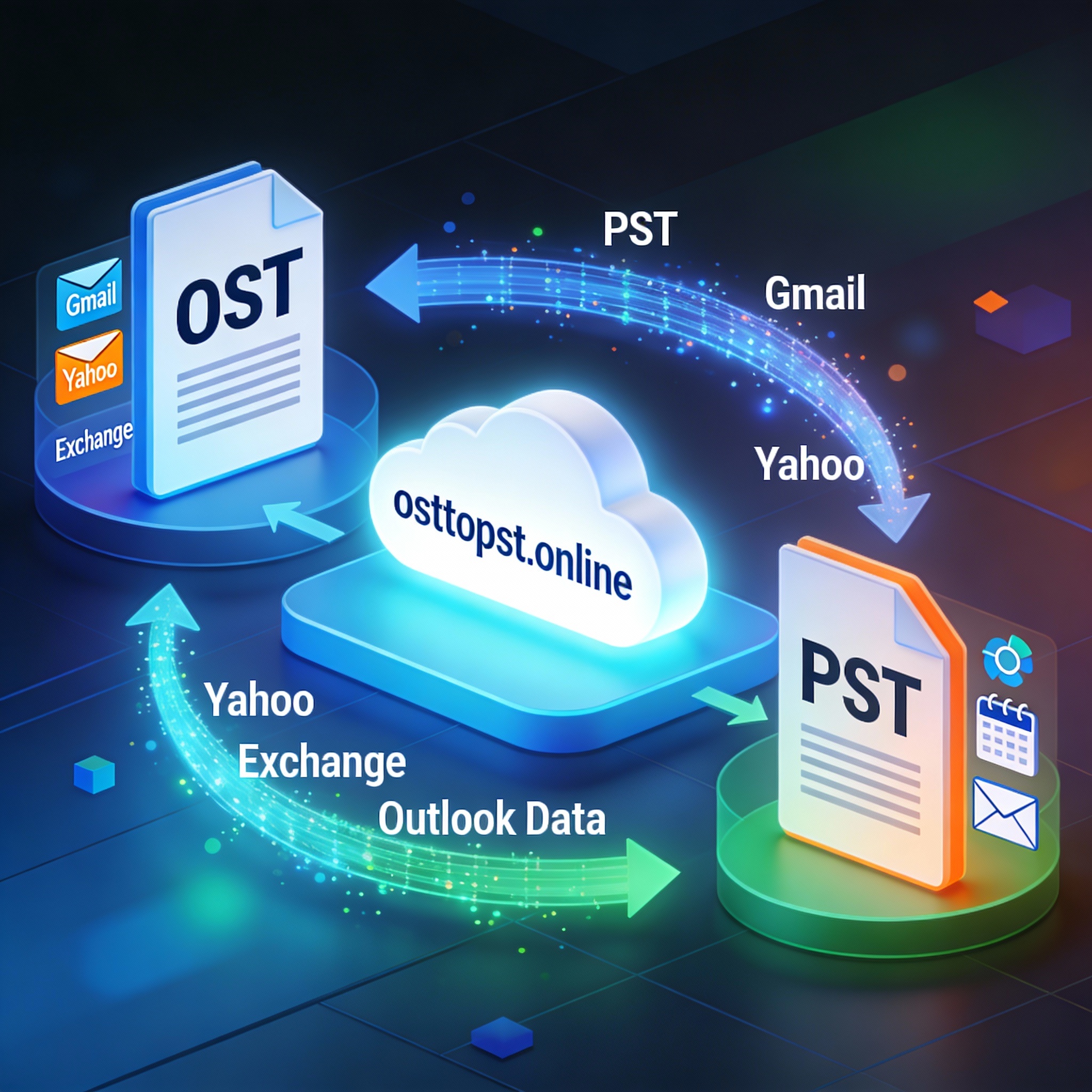
Description of the conversion steps:
- Uploading the OST file to the service
On the service's main page, select the source OST file or drag and drop the OST file onto the page in your browser.
The file upload to the service starts automatically.
- Converting data into a PST file
Once the OST file is uploaded to the server, special software that was developed by our engineers will analyze the contents of the OST file and transfer the data to a new PST file.
Depending on how busy the server is and the size of the original OST file, the conversion process can take a significant amount of time.
Notes: The size of the new PST file may be considerably smaller than the size of the original OST file. This difference is due to the way that Exchange Server and Microsoft Outlook store data in OST files.
- Preview of conversion results
When the file has been successfully converted, the user will be notified about the size of the original OST file and the converted PST file. In addition, the user will be able to quickly review the restored data in the preview.
- Payment for the OST to PST file conversion service
We accept payment for the OST to PST conversion service via PayPal and FastSpring. By clicking the Pay button you will be redirected to either the PayPal of FastSpring website, where you can pay using the payment method that is most convenient for you.
After payment is confirmed, the user will be given a link to the converted PST file. In addition, an e-mail will be sent to the user's specified address with a link to the converted file.
- Downloading the PST file from the service
You have 10 days to download the converted PST file at the specified URL. This period is measured from the time when the original source file was uploaded to the service.
How to convert an OST file to PST file online
This online service allows you to perform an OST2PST conversion using any device (Windows, Android, iOS and other). You do not have to have Microsoft Outlook, Exchange Server or Windows Domain Controller installed on your device. All you need to do is upload your OST file to the service in the same way that you would upload files to a cloud storage service (such as iCloud, Dropbox, Google Drive, OneDrive, etc.) and wait for the service to automatically convert all the files and provide you with a converted PST file to download.
How to convert .ost to .pst file online
Steps for obtaining a PST file from an OST file:
-
Uploading your OST file to the server
You can upload the OST file to the server on the service's home page. To upload a file: Select the file on disk
-
Preview
You will be given information about the following when the conversion is complete:
- The size of the original OST file
- The size of the converted PST file
- The structure of folders with data in the PST file
You can then click the Next step button.
-
Payment
In order to download your converted PST file, you will need to pay using PayPal, which allows you to use a credit card as well as other payment methods.
-
Downloading the PST file
Once payment is complete, the user will see a Download button to obtain the converted PST file.
Notes:
- The size of the resulting PST file may differ significantly from the size of the original OST file. The difference in file sizes can be explained by the different storage, archiving, and processing methods that are used by Microsoft Exchange Server and Microsoft Outlook when working with OST files.
- The converted PST file will be in Unicode format (which has been used since Microsoft Outlook 2007 to store more than 2GB of data in a single file).
- The service can read and convert OST files that are password protected
- The service can read and convert OST files that are encrypted
- The converted PST file will not be encrypted or password-protected, however.
- The original OST file and the converted PST file will be kept on the server for 10 days from the date that the original file was uploaded to the server
Secure OST to PST Conversion Technology
Our online converter prioritizes user data privacy, executing 100% of the mailbox analysis process directly within your web browser environment and within an isolated area of a remote server, free from external access. All temporary memory structures and output streams of the Personal Storage Table (.pst) file are secured using AES-256 cryptographic encryption standards, while the entire web session is securely isolated via the SSL/TLS 1.3 protected connection protocol. All data uploaded to the remote server is automatically deleted following conversion.
Data Protection & Encryption Architecture
Processing Mode
Fully isolated client data recovery on a remote server.
Data deletion after conversion — no residual traces.
Encryption Standard
Internal data structures are protected with AES-256 cipher block chaining (military‑grade encryption).
Transport Security
Enforced HTTPS with SSL/TLS 1.3 encryption across all active browser sessions.
Technical Specification
Supported versions of OST files:
- ANSI — old version for Outlook 97, 98, 2000, 2002/XP, 2003 (files up to 2GB).
- Unicode (UTF-16 little-endian) — new version for Outlook 2007, 2010, 2013, 2016, 2019, Microsoft 365.
Supported OST encryption (obfuscation):
- None (plain readable structure)
- Compressible Encryption (legacy compression + obfuscation)
- High Encryption (enhanced obfuscation for older formats)
Supported Microsoft Outlook versions:
Outlook 97
Outlook 98
Outlook 2000
Outlook XP
Outlook 2003
Outlook 2007
Outlook 2010
Outlook 2013
Outlook 2016
Outlook 2019
Outlook M365
Maximum size of OST files:
unlimited
Resources & Further Reading
Microsoft Outlook
Official Microsoft Outlook Page
Microsoft Outlook (Wiki)
Wikipedia article — comprehensive overview
Exchange Server
Wikipedia / Microsoft 365
OST & PST paths
Microsoft Learn: File locations in Windows
IMAP Protocol
Wikipedia: Internet Message Access Protocol
Data Conversion
Wikipedia — Data Conversion (theory & practice)

Victor G. Bobrov, Senior Software Engineer.
MCSD, MCDBA
Specialist in Microsoft Outlook, Exchange Server, and OST/PST file structures. Expert in OST file conversion with over 20 years of experience and expertise.
Customer's reviews and ratings
Software was easy to use, it extracted 95% of required data from the OST file. I found out after purchasing, it was unable to recover group contacts. I had no way to test this with the demo. The support team indicated that Microsoft blocks access to exporting group contacts into a PST file. I tested this theory by using another product, which had no issues recovering group contacts to a PST file. So please be aware of this limitation in the software.
Otherwise, software works as expected.
Conversion: OST 20GB to PST 23GB. Windows 11 64-bit Outlook 64-bit, everything worked perfectly. Took about 90 minutes.
JCB 08-20-2025Nice
Sakib 05-18-2025Excellent tool for converting email files.
matsanti 04-15-2025Very good service. Reasonable pricing if you have one or two .ost files to convert.
Adrian 03-16-2025The Convert worked smoothly and did a good job.
What bothered me was that the information that the service was chargeable and the amount of the costs was only provided very late. Of course it would have been possible to cancel at this point, but the data had already been uploaded. I suspect that the user guidance is intended to be this way in order to generate sales.
If I had known this beforehand, I might have looked for another service provider.
Using the online version to see how it goes
Hermes 02-19-2025Even as someone who doesn't know anything about computers, I was able to do it. Congratulations
Günter 01-19-2025I made a mistake when saving an archive in Outlook. Unfortunately, restoring the archive with important emails from the .OST file was no longer possible using the M365 tools because the computer had been changed in the meantime. With the tool, I was able to convert the OST into a .pst file very quickly and without any problems, and thus integrate the archive into M365 (Outlook Classic) without any problems. The price of around €20 was worth it! Great tool. I would use it again.
Rüdiger K. 11-28-2024Excellent
Akhilesh 11-19-2024necessary tool
Gregorio 10-26-2024excellent
prueva 09-18-2024This service helped to migrate from IMAP to POP3.
All .OST files was converted to .PST.
Accounts changed in Outlook from IMAP -> POP3 with saving emails into new .PST files.
Thanks!
Friends, great service, I recommend it to everyone!
Дима 09-27-2023very good service, helped me completely, thank you
Ostin 09-27-2023The ost.file I want to convert to a pst.file is not read in via the conversion mode !
The recovery mode of the same file has worked !
Hello guys!
Great service, congrats!
Goord service
Gabilon 01-25-2023Universal service-tool. They helped me but not fully: part messages didn't uploaded from Gmail to .OST file.
skyw 01-24-2023works fine
mr mike 11-12-2021To recommend
Ferdinand 11-08-2021everything's OK
Hartmut 11-07-2021Top
SK 10-28-2021Greate!
Ermanno 10-15-2021super
jeng 09-07-2021allgood
mohsin 09-03-2021Great service, thank you so much
Rola 08-31-2021it's beautiful
sergio 07-12-2021good and easy application
Mahi 05-13-2021The perfect way to convert OST files. The web interface is very simple and easy to use. Could keep an archive of my emails by converting from .ost to. pst in the online version. This tool works great.
Boris 04-21-2021The best plugin for converting OST to PST, this guys save me!
Shaka 04-12-2021Excellent and convenient service, my OST email was converted to PST losslessly.
Ramiro Finley 04-05-2021Great online service - I received my converted file within minutes - thanks very much
Kirsten 03-20-2021After conversion, letters can be saved in the Inbox folder or in other folders. As it was with me, I was even scared that they would not be returned. They turned out to be in the lowest folder that opens.
Juliana Blankenship 03-15-2021I am always reluctant to use the program on the Internet. But this converter seemed reliable to me. And it turned out to work great, very professional, even a neat texture!
C.Verbeek 03-05-2021Good program
Daniel 02-16-2021Works as advertized and did a good job! Worth its money more than average!
lucsch 02-16-2021An excellent convertion tool .ost to .pst, no losses were noticed during the moving of data.
Radiant 02-15-2021Great tool
Hugi 02-11-2021Could save my mails archive by converting from .ost to . pst in the online Version. Outlook had synchronization issues with the ost file! Thanks this Tool works great!
Mohammad 02-04-2021The program restored all messages and contacts on Outlook 2007 in excellent quality. I do not regret it, I recommend it.
Ashley 02-04-2021Works well and quickly. I can import all my Exchange mail into regular mail. Super!
Qanuk 01-23-2021Could save my mails archive by converting from .ost to . pst in the online Version. Outlook had synchronization issues with the ost file! Thanks this Tool works great!
Marc 01-21-2021Good!
QA 01-10-2021Beautiful
ahemltmw 01-06-2021Good app
Abhishek Ranjan 01-04-2021Great service
James Bond 01-01-2021He can handle the task. Good even with an introductory explanation of PST and OST files. It is worth explaining the text that the service is worth it.
Adee 12-30-2020It is very nice, good health.
selin 12-27-2020By clicking Download or Сonvert, you agree to the Terms of Service and EULA.
Clear. High-quality. Professional.
Alex 10-17-2025Everything that was stated was 100% received.
+ prompt and intelligent support.
5 out of 5...would give more if possible.