How to convert OST to PST file
OST to PST Converter
Download Free Offline OST to PST Converter 100% Secure
4.9 (163)
- Rating
- (152)
- (9)
- (2)
- (0)
- (0)
Online OST to PST Converter
or drap&drop file here
By clicking Download or Select ost file, you agree to the Terms of Service and EULA.
0%
Converting file…
100%
OR
The program has no restrictions on the number and size of files
Offline OST to PST Converter

Offline OST to PST Converter — это программа для локальной конвертации OST в PST на компьютере под Windows. Утилита помогает открыть OST-файл, просмотреть его содержимое и сохранить данные в PST-файл Microsoft Outlook без подключения к Exchange Server, Domain Controller или рабочему почтовому профилю.
Такой OST в PST конвертер нужен, если Microsoft Outlook больше не открывает старый почтовый ящик, Exchange-аккаунт удалён, профиль Outlook повреждён, нет логина и пароля к IMAP серверу (Gmail, Yahoo, Hotmail и т.д.), компьютер был заменён, а в файле OST остались важные письма, вложения, контакты, календарь, задачи или заметки.
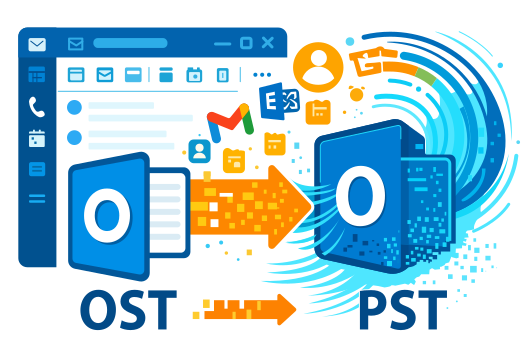
With the OST to PST Converter, you can convert OST files to PST on your local computer and then open the resulting PST file in Microsoft Outlook via the standard Outlook Data File menu. This is a convenient way to transfer data from an offline Outlook file to a new email profile, another computer, or a backup archive.
OST to PST Converter for Local Work with Outlook Files
An OST file is an Outlook offline storage file created when working with Microsoft Exchange Server, Microsoft 365, Outlook.com, IMAP/Exchange accounts, and caching mode. Typically, an OST file is tied to a specific email profile, account, and computer. Therefore, you cannot simply copy it and open it in another Outlook instance like a regular PST file.
The OST to PST Converter solves this problem: the program reads the contents of the OST file, displays the found folders and mailbox items, and then saves the data in PST format. After that, the PST file can be connected to Outlook and used as a regular email archive.
OST to PST Converter is suitable for situations where you need to:
- convert OST to PST after deleting an Exchange account;
- open an old OST file without access to the original Outlook profile;
- transfer emails from OST to a new Microsoft Outlook;
- extract emails, attachments, contacts, calendar, tasks, and notes;
- restore access to data after an Outlook, Windows, or email profile failure;
- save data from an OST file to PST, MSG, EML, VCF, or TXT;
- work with a large OST file locally, without uploading data to a website.
How to convert an OST file to PST locally on your computer
A step-by step description of converting an OST file of any version and size to a Microsoft Outlook PST file using a personal computer:
- Download Offline OST to PST Converter here https://www.osttopst.online/download/OfflineOSTtoPSTConverterInstall.exe
- Install Offline OST to PST Converter in Windows
- Start Offline OST to PST Converter
- Select an OST file on the first page of the program
- Click Next
- Select the Converter mode mode
- Click Next
- View the content of the OST file
- Click Next
- Select a folder for saving converted data
- Click Next
- Select the Save as PST file mode
- Click Save
Once the program has finished running, you will receive a PST file. You can open it in Microsoft Outlook via the menu:
File → Open & Export → Open Outlook Data File
This allows you to transfer data from an OST file to Outlook without reconnecting to your old Exchange Server or account.
How to Open an OST File Without Outlook
If Outlook isn’t installed, won’t launch, or can’t recognize your old profile, you can still open the OST file for viewing in Offline OST to PST Converter. The program analyzes the file’s structure and displays the mailbox contents within its own interface.
You can view:
- email folders;
- inbox and sent items;
- deleted items;
- drafts;
- attachments;
- contacts;
- calendar;
- tasks;
- notes.
This is useful if you need to quickly check the contents of an OST file, find a specific email, verify that the file is readable, or select only certain folders for export.
Important: To save data specifically to a PST file, you need the desktop version of Microsoft Outlook for Windows installed. If Outlook is not available, individual items can be saved in other formats, such as MSG, EML, VCF, or TXT.
How to Transfer Data from an OST File to Microsoft Outlook
To transfer data from an OST file to Microsoft Outlook, you must first convert the OST to a PST file. This is because Outlook does not open arbitrary OST files as portable archives. An OST file is typically associated with a specific profile, while a PST file is designed for storing and transferring Outlook data.
After conversion, follow these steps:
- Open Microsoft Outlook.
- Go to the File menu.
- Select Open & Export.
- Click Open Outlook Data File.
- Select the PST file created in Offline OST to PST Converter.
- Open the file and check the folders, emails, contacts, and calendar.
Once connected, the PST file will appear in Outlook as a separate data store. You will be able to view emails, search for messages, copy folders, move items to another mailbox, or use the PST as a local archive.
Benefits of using the Offline OST to PST Converter:
You do not need to upload files to a web server
You do not need to sign a non-disclosure agreement (NDA)
There are no restrictions on the size of the OST file
There are no restrictions on the number of OST files
1. Data Privacy
Offline OST to PST Converter runs on your computer. There is no need to upload the OST file to a website, send it to an external server, or share it with a third party. This is particularly important for corporate email, legal correspondence, financial documents, personal data, and attachments.
2. No file count limit in the registered version
In the registered version, you can convert an unlimited number of OST files. This is convenient for administrators, IT specialists, service engineers, and users who need to process multiple Outlook mail archives.
3. No OST file size limit in the registered version
Large OST files can take up several gigabytes. When working through an online service, such files are often difficult to upload due to limits, internet speed, or security policies. Offline OST to PST Converter allows you to perform the conversion locally and work with large mail archives on a Windows computer.
4. No need for access to Exchange Server
The program can read an OST file without connecting to Microsoft Exchange Server, Microsoft 365, a Domain Controller, or an old account. This is useful if the mail server is no longer available, the domain account has been deleted, the password is unknown, or the Outlook profile has been corrupted.
5. Choose exactly what to save
Offline OST to PST Converter lets you view the file structure and select the folders you need before exporting. You can save the entire mailbox or transfer only specific sections: Inbox, Sent Items, Contacts, Calendar, Tasks, or Notes.
What Can Be Extracted from an OST File
The program helps transfer key Microsoft Outlook data to PST:
- emails;
- mail folders;
- attachments;
- contacts;
- calendar;
- appointments and events;
- tasks;
- notes;
- deleted items, if they are available in the OST file structure.
In addition to PST, data can be saved in other formats:
- MSG — for individual Outlook messages;
- EML — for opening emails in email clients that support EML;
- VCF — for saving contacts in vCard format;
- TXT — for text data and notes.
Functionality and capabilities of the Offline OST to PST Converter
- Does not require Internet access
- Conversion of OST files in UNICODE format (Outlook 2007 or higher)
- Reading of password-protected *.OST files
- Does not require authentication by a Microsoft Exchange Server
- Converts OST files of any size
- Ability to preview the contents of an OST file
- Conversion of OST files in ANSI format (Outlook 97...2003)
- Conversion of damaged OST files
- Reading and conversion of encrypted OST files
- Does not require authentication by Windows Domain Controller
- Selective conversion of data: the user can select the data to be converted into an OST file

Notes: If OST cannot be converted with Offline OST to PST Converter, you can repair the OST file using Recovery Toolbox for Outlook. Recovery Toolbox for Outlook will also help you to fix very hard error with corrupted Microsoft Outlook data files such as 0x8004010F: Outlook data file cannot be accessed. https://outlook.recoverytoolbox.com/repair-outlook/
The ost pst conversion tool allows you to convert data from *.OST files into the following formats:
- PST files (Microsoft Outlook)
- MSG files (Microsoft Exchange Server, Microsoft Outlook, and other programs)
- EML files (Microsoft Outlook Express, Live Mail, and other email programs)
- VCF files (RFS822, vCard, Business Card Format, the contact storage format used by most personal information managers (PIM))
- TXT files (text files that can be opened with Notes)
When You Need to Convert OST to PST
The Offline OST to PST Converter can come in handy in various situations:
- Outlook won’t open the OST file;
- an old Outlook email profile has been deleted or is corrupted;
- Exchange Server is no longer available;
- a Microsoft 365 account has been disabled;
- you need to transfer emails to a new computer;
- you need to open an OST file without syncing to the server;
- only the OST file remains after a Windows crash;
- you need to create a PST archive from an old mailbox;
- you need to extract emails and attachments from a corrupted OST file;
- you need to save Outlook data before migrating or reinstalling the system.
Offline OST to PST Converter for Windows
The tool is designed to run on a local computer or Windows server. It supports OST files from various versions of Microsoft Outlook, including both old and new Outlook data store formats.
Offline OST to PST Converter can work with:
- Microsoft Outlook OST files;
- Exchange offline storage;
- Outlook files after a mail profile failure;
- OST files after replacing a computer or Windows user;
- large mail archives;
- corrupted OST files, provided the data is readable;
- files that cannot be opened using standard Outlook tools.
Notes:
- In order to convert OST files that are larger than 4GB, you must have the 64-bit version of Microsoft Outlook installed on your computer with Microsoft Outlook OST PST Converter.
- You must have Microsoft Outlook installed on your computer in order to export data to a PST file. Outlook in Office 365, Outlook for iOS, and Outlook for MacOS do not allow you to export data to a PST file.
- You cannot export groups of contacts from OST to PST files.
Customer reviews from Trustpilot
Questions and Answers About the OST to PST Converter
Can I convert OST to PST without Exchange Server?
Yes. Offline OST to PST Converter allows you to read an OST file and save the data to PST without connecting to Microsoft Exchange Server, Domain Controller, or the old email account.
Can I open an OST file without Outlook?
Yes. The program can open an OST file for viewing inside its own interface. You will be able to see folders, emails, contacts, calendar items, and other elements. To save the result specifically as a PST file, desktop Microsoft Outlook for Windows is required.
Why is Offline OST to PST Converter better than an online converter?
The main difference is local processing. The OST file does not need to be uploaded to a website. This improves privacy and is convenient when working with large files, corporate mail, and personal attachments. The registered version also has no limits on the number or size of files that can be converted.
Can I convert a large OST file to PST?
Yes. The registered version of Offline OST to PST Converter does not limit the size of the OST file. For very large files, it is recommended to use the 64-bit version of Microsoft Outlook and have enough free disk space.
Can I move emails from OST to a new Outlook profile?
Yes. First, convert OST to PST, then open the resulting PST file in Microsoft Outlook using File → Open & Export → Open Outlook Data File. After that, the data will be available in Outlook as a separate data store.
Can I save only part of the data from an OST file?
Yes. The program allows you to view the contents of the OST file and select the folders or items that need to be exported. This is useful if you only need to move inbox emails, sent messages, contacts, or calendar items.
What data can be moved from OST to PST?
You can move emails, attachments, Outlook folders, contacts, calendar items, tasks, and notes if this data is available in the source OST file.
Does the program work without the Internet?
Yes. Offline OST to PST Converter is designed for local use. An Internet connection is not required to analyze the OST file and convert the data on your computer.
Can I use the program for multiple OST files?
Yes. The registered version has no limit on the number of OST files that can be converted. This is convenient if you need to process several Outlook archives or move data from different computers.
What should I do if Outlook cannot open an OST file?
Select the OST file in Offline OST to PST Converter, start the analysis, and check which data is available for viewing and export. After conversion, save the data to PST and open the PST file in Microsoft Outlook.
Purchase
Purchase of License for software Offline OST to PST Converter
Notes:
- The number of Personal, Business or Site licenses activated simultaneously must not exceed the number of purchased licenses.
- We accept payment for software registration via the PayPro Global registration service. That is why you will see "PayPro Global" on all payment invoices and on your credit card statement.

PayPro Global (PayPro Global, Inc., 250 The East Mall street, Etobicoke, ON Canada, M9B 0A9) supports more than 100 different currencies, major credit cards, and a wide variety of other payment systems. PayPro Global offers attentive 24/7 customer support to meet the personal needs of users.

Victor G. Bobrov, Senior Software Engineer.
MCSD, MCDBA
Specialist in Microsoft Outlook, Exchange Server, and OST/PST file structures. Expert in OST file conversion with over 20 years of experience and expertise.
By clicking Download or Сonvert, you agree to the Terms of Service and EULA.